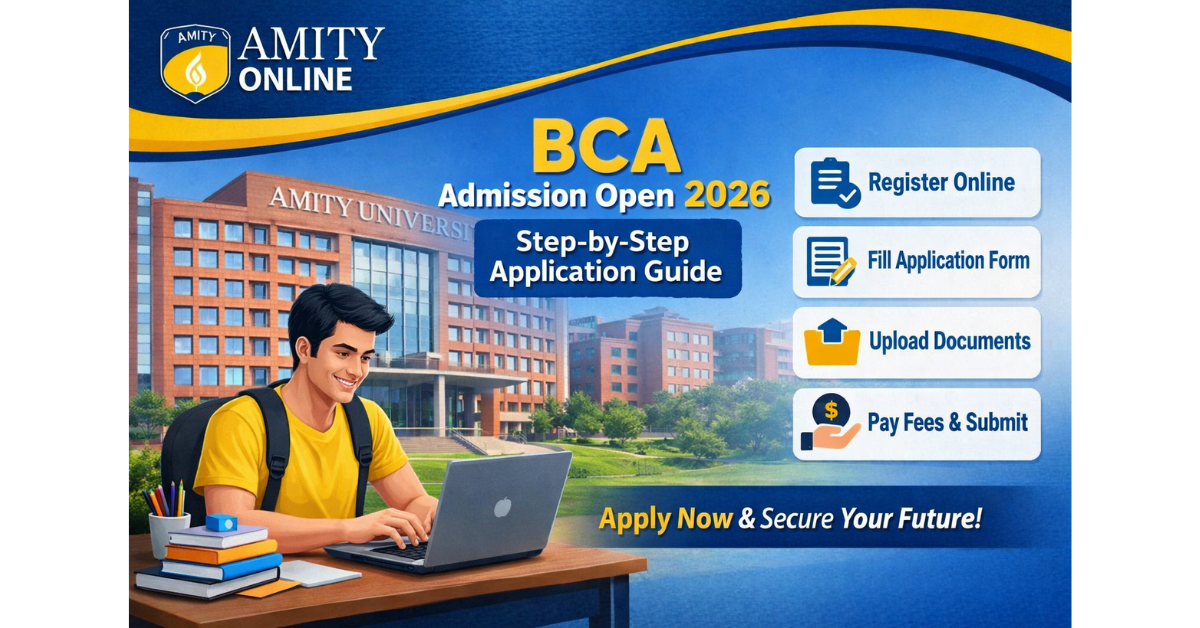
Amity University Online BCA: Step-by-Step Full Application Guide
Table of Contents
- Who Is This Guide Written For?
- ⚡ Why This Guide Is Different
- 🎓 What Is Amity Online BCA?
- 🏆 The Degree Credibility Question Every Student Asks
- 👥 Who Is This Program Realistically Designed For?
- ✅ Eligibility for Amity Online BCA: Do You Qualify?
- Academic Requirements in Plain Language
- Still Confused? Talk to an Expert for Free!
- Lateral Entry Option
- 📄 Documents to Collect BEFORE Opening the Application Form
- 📸 Scanning Tips That Save You Weeks of Back-and-Forth
- 📝 How to Apply: The Full Step-by-Step Process
- Step 1: Go Directly to the Official Amity Online Website
- Step 2: Register and Set Up Your Applicant Account
- Step 3: Fill Out the Application Form Without Errors
- Step 4: Upload Your Documents the Right Way
- Step 5: Pay the Application Fee Securely
- Step 6: Submit and Track Your Application
- 💰 Fee Structure: What You're Actually Paying For
- Semester Payment Model
- 🎓 Scholarships — Apply Before It's Too Late
- Why Pay Full Fee When You Can Save 20%?
- 📬 What Happens Between Submission and Your First Class
- ❌ Real Mistakes Applicants Make — And How to Avoid Them
- 🏁 Final Thoughts
A lot of guides on this topic read like they were scraped from the Amity website and slightly rearranged. This one is not that. I have personally spoken to current Amity Online BCA students, gone through the portal myself to understand the interface, and gathered feedback from applicants who hit roadblocks during the process. What you are reading is built on firsthand research, not recycled summaries.
If you are a Class 12 passout wondering whether this program is legitimate, a working professional trying to pivot into tech, or someone who has just been going in circles trying to figure out how the application actually works, this guide was written specifically for you.
Who Is This Guide Written For?
This guide was written specifically for 3 types of people:
- 🎓 A Class 12 passout wondering whether this program is legitimate
- 💼 A working professional trying to pivot into tech
- 🔄 Someone who has been going in circles trying to figure out how the application actually works
⚡ Why This Guide Is Different
Most articles about Amity Online BCA tell you just three things:
"Visit the website → Fill the form → Pay the fee"
That's about as useful as telling someone to "just cook the food" when they asked for a recipe.
What applicants actually struggle with is the nuance:
- Which documents need to be scanned — and how?
- What happens if your Class 12 percentage is below 50%?
- How long does verification actually take?
- What does the learning portal look like after admission?
These are the questions this guide answers — because these are the ones that actually matter when you're sitting in front of your screen trying to get this done.
🎓 What Is Amity Online BCA?
Amity Online BCA is a 3-year Bachelor of Computer Applications degree offered through Amity University's dedicated online education wing.
| Detail | Info |
|---|---|
| University Founded | 1995 |
| Accreditation | NAAC A+ |
| Duration | 3 Years / 6 Semesters |
| Mode | 100% Online (LMS Based) |
| Regulatory Recognition | UGC Recognized |
You access lectures, assignments, study materials, and assessments through an online Learning Management System — no physical campus attendance required during the program.
🏆 The Degree Credibility Question Every Student Asks
Let's address it directly.
Yes, the Amity Online BCA degree is valid. It is recognized by the University Grants Commission of India (UGC) — the regulatory body that governs higher education in India. Your final degree certificate carries the Amity University name and is treated equivalently to their on-campus BCA degree for most employment and higher education purposes.
Recruiters at companies like TCS, Wipro, and Infosys are familiar with Amity as a brand. The university has active placement partnerships and career support programs that extend to online students as well.
That said, your career outcomes will still depend significantly on the skills you build during the program — not just the name on your degree.
👥 Who Is This Program Realistically Designed For?
Amity Online BCA works particularly well for 3 types of students:
1. Fresh Class 12 Graduates Who want a recognized tech degree but live in cities or towns where good BCA colleges are not easily accessible.
2. Working Professionals Particularly those in non-technical jobs who want to build programming and IT skills without quitting their current position.
3. People With Personal or Family Responsibilities Who need the flexibility of studying at their own pace rather than being bound by fixed class schedules.
⚠️ Honest Note: If you're looking for heavy hands-on lab experience in a physical setting, an on-campus program would serve you better. But for building foundational and intermediate computer science knowledge with a recognized qualification — this program holds up well against the alternatives.
✅ Eligibility for Amity Online BCA: Do You Qualify?
Before spending time on the application, confirm your eligibility. Missing this step wastes everyone's time.
Academic Requirements in Plain Language
| Requirement | Details |
|---|---|
| Qualification | Class 12 pass from any recognized board |
| Boards Accepted | CBSE, ICSE, All State Boards, NIOS (confirm directly) |
| Stream | Science, Commerce, or Arts — all eligible |
| Minimum Percentage | 50% aggregate in Class 12 |
| Minimum Age | 17 years at the time of admission |
| Maximum Age | No upper age limit |
💡 Scored slightly below 50%? Don't immediately give up. Contact Amity's admissions team directly — there are occasionally provisions for students with vocational qualifications or those from specific background categories.
Still Confused? Talk to an Expert for Free!
Get personalized guidance on BCA admission, fees & scholarships — directly from Amity Online experts. Limited slots available daily.
Request A Call Back
Lateral Entry Option
Hold a diploma in computer applications or a related field from a recognized polytechnic or technical board? You may qualify for lateral entry into Year 2 — saving an entire year of study time and fees.
⚠️ Lateral entry availability depends on the specific intake cycle. Confirm directly with the admissions office before applying.
📄 Documents to Collect BEFORE Opening the Application Form
This step matters more than most guides admit. Starting the application without your documents ready leads to incomplete submissions, delayed processing, and sometimes missed intake deadlines.
Here's exactly what you need:
| Document | Details |
|---|---|
| ✅ Class 10 Mark Sheet & Certificate | Both required |
| ✅ Class 12 Mark Sheet & Certificate | Both required |
| ✅ Passport-Size Photograph | White/light background |
| ✅ Scanned Signature | On plain white paper |
| ✅ Government-Issued Photo ID | Aadhaar, PAN, or Passport |
| ✅ Category Certificate | SC/ST/OBC/EWS applicants only |
📸 Scanning Tips That Save You Weeks of Back-and-Forth
- Use a proper scanner app like CamScanner or a flatbed scanner
- Keep each file under 2MB
- Accepted formats: JPEG or PDF
- Preview every file before uploading — confirm text is fully legible and no part is cropped
💡 This single habit eliminates the most common reason applications get flagged for re-verification.
📝 How to Apply: The Full Step-by-Step Process
Step 1: Go Directly to the Official Amity Online Website
Open your browser and navigate to amityonline.com. Bookmark this page before doing anything else.
🔴 Warning: A significant number of students end up on third-party education portals or lead generation sites that look similar but are NOT Amity's official platform. Applying through those channels means your information goes to a middleman — not the university directly — causing delays and confusion.
On the official site, find the undergraduate programs section → BCA course listing. Read through the full program page — eligibility, fee structure, and curriculum — before clicking any Apply button.
Step 2: Register and Set Up Your Applicant Account
Click "Apply Now" on the BCA program page. You'll be asked to:
- Enter your mobile number and email address
- Complete OTP verification
- Create your account password and log in
💡 Use a personal email address that you actively check. All correspondence — application status, document verification results, offer letter, fee payment details — will come to this email. Consider setting up a specific folder or filter in your inbox for Amity communications.
Step 3: Fill Out the Application Form Without Errors
Inside your dashboard, open the BCA application form and fill in:
- ✅ Personal details exactly as they appear on your Class 10 certificate
- ✅ Complete academic history — institution names, board names, year of passing, aggregate scores
- ✅ Gap year declaration (if applicable — this is completely standard and does not harm your application)
🔴 Double-check every field before moving to the next section. Correcting errors after submission requires reaching out to the admissions team and costs you time.
Step 4: Upload Your Documents the Right Way
Navigate to the document upload section and upload each file individually in its designated field.
After every upload:
- Use the preview option to confirm the file opened correctly
- Verify it's fully visible and the right document in the right field
⚠️ The two most common upload errors: uploading a document in the wrong field, and uploading a file that failed to fully transfer due to slow internet. Both are avoided by previewing each upload immediately after it's done.
Step 5: Pay the Application Fee Securely
Once documents are uploaded and the form is complete, proceed to payment.
Accepted payment methods:
| Method | Options |
|---|---|
| UPI | GPay, PhonePe, Paytm |
| Debit/Credit Card | Visa, Mastercard, RuPay |
| Net Banking | All major banks |
⚠️ The application fee is non-refundable. Make sure your application is complete and accurate before proceeding to payment.
After successful payment — do all 3 of these:
- Screenshot the confirmation page immediately
- Download the PDF receipt to Google Drive or Dropbox
- Forward the confirmation email to a secondary email address
Step 6: Submit and Track Your Application
After payment, review your entire application one final time — then submit. You'll receive an application reference number — your key to tracking progress.
Log back in every 2–3 days to check your status.
| Timeline | What's Happening |
|---|---|
| Day 1–2 | Application Received & Acknowledged |
| Day 3–7 | Under Review — Documents Being Verified |
| Day 7–10 | Decision — Approved / Documents Required / On Hold |
💡 If your status stays at "Under Review" beyond 10 working days, contact the admissions helpline directly with your application reference number.
💰 Fee Structure: What You're Actually Paying For
Semester Payment Model
Amity Online BCA uses a semester-based fee payment structure — you pay for one semester at a time, not the full 3-year cost upfront. This spreads the cost across 6 separate payment cycles over 3 years.
⚠️ For the exact current fee per semester, visit the official Amity Online website or call their admissions helpline. Fee structures are revised annually — any figures in a third-party article can become outdated.
🎓 Scholarships — Apply Before It's Too Late
| Scholarship Type | Eligibility |
|---|---|
| Merit-Based | 75% or above in Class 12 |
| EWS Scholarship | Economically Weaker Section students |
| Differently-Abled | As per government guidelines |
🔴 The part most guides fail to mention: Scholarship applications are processed during the initial admission stage. If you wait until after your admission is confirmed and first semester fee is paid — you may have already missed the scholarship window. Ask about scholarship eligibility at the time you submit your main application, not after.
Why Pay Full Fee When You Can Save 20%?
Amity Online is offering up to 20% scholarship on BCA programs. Talk to an expert today & find out exactly how much you can save on your fees.
Check Scholarship Eligibility📬 What Happens Between Submission and Your First Class
Once your application is reviewed and approved:
1. Offer Letter Received Sent to your registered email with acceptance deadline and first semester fee details.
2. Accept & Pay First Semester Fee Complete within the deadline. Delays can result in your seat being released to the next applicant.
3. LMS Access Activated You receive login credentials for the Learning Management System along with orientation materials.
4. Virtual Orientation Session Attend this — you get a direct walkthrough of the portal, introduction to the academic team, and can ask practical questions about day-to-day program operations.
❌ Real Mistakes Applicants Make — And How to Avoid Them
| Mistake | Why It Hurts | How to Avoid |
|---|---|---|
| Waiting until the last week | Applications face longest queues; no time for re-submission if documents are flagged | Start 4–6 weeks before the deadline |
| Uploading blurry or cropped scans | Application gets flagged for re-verification, adding days to processing | Scan properly in good lighting, preview every file |
| Using a shared family email | Someone may delete or spam-mark a critical Amity email before you see it | Use a personal email only you access |
| Not saving the payment receipt | Portal glitches happen; without receipt, resolving it takes much longer | Screenshot + PDF + backup email |
| Ignoring the helpline when stuck | Sitting confused for days when help is one call away | Use Amity's admissions support number or live chat — they're responsive |
🏁 Final Thoughts
Applying for Amity Online BCA is a completely manageable process when you go in prepared. Here's your simple action checklist:
- ✅ Check your eligibility before anything else
- ✅ Gather and scan all documents properly in advance
- ✅ Register only on the official Amity Online portal
- ✅ Fill your application form accurately — match your Class 10 certificate
- ✅ Upload clearly, preview every document after uploading
- ✅ Pay securely and save your receipt in multiple places
- ✅ Track your status every 2–3 days until your offer letter arrives
- ✅ Ask about scholarships at the time of application — not after
The program delivers a UGC-recognized degree with a curriculum covering the technical foundations IT employers are looking for. The flexible format removes the geographical and scheduling barriers that stop many capable students from finishing a degree.